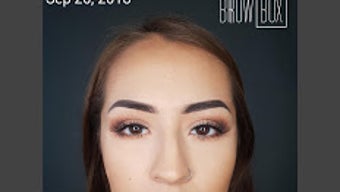



Download BrowBox Grid App – micropigmentation, microblading, eyebrow symmetry, grid tool, Android app, cosmetic tattooing, brow artist, client approval, mobile tool
Overview
BrowBox Grid App is a specialized desktop application designed for professionals in the micropigmentation and microblading industry. The software serves as a digital tool to assist artists in achieving precise eyebrow symmetry and streamlining the client signoff process. By providing a movable grid overlay, the app enables artists to visualize and adjust eyebrow shapes with enhanced accuracy.
This functionality supports consistent results across both client sessions and artistic styles. The app is tailored for use in clinical or studio environments where precision and client trust are paramount. It is particularly useful during the initial design phase, where symmetry and proportion are critical.
The developer, BrowBox, has focused on creating a lightweight, dedicated tool that addresses a niche but essential need in cosmetic tattooing workflows. The application is compatible with Android 9.0 and above, ensuring accessibility on modern mobile devices. While the developer did not provide additional system requirements, the app’s 45 MB size suggests a low footprint.
Real-world usage includes pre-procedure planning, client consultations, and digital record-keeping of approved designs. The app is intended for professional use only and is not designed for personal or casual applications.
Key Features & Capabilities
- Movable Grid Overlay: A dynamic grid system that can be positioned and adjusted on the screen to guide eyebrow shaping and alignment. This feature allows artists to compare both sides of the face and make real-time adjustments for symmetry.
- Client Approval Functionality: Enables artists to present the final eyebrow design to clients and obtain digital signoff. The client can sign the design either with or without grid lines visible, preserving the original aesthetic while documenting consent.
- Android-Optimized Interface: Designed specifically for Android devices, the app leverages touch-based interaction for intuitive control, making it easy to reposition the grid and manage client approvals.
- Design Documentation: Stores approved client designs digitally, providing a record of consent and artistic intent. This supports compliance and transparency in professional practice.
- Real-Time Visualization: Offers immediate feedback during the design process, allowing artists to assess symmetry and proportion before beginning the procedure.
These features support efficient workflow integration into existing micropigmentation practices. For example, an artist can use the grid to align the brow arch with facial landmarks, then show the client the design for approval. The digital signature serves as a formal record, reducing the risk of disputes. The app’s simplicity ensures minimal learning curve, making it accessible even for artists new to digital tools.
User Interface, Workflow & Performance
The user interface of BrowBox Grid App is clean and focused, designed around a single core task: eyebrow symmetry assessment and client approval. The main screen displays a full-screen canvas where the client’s photo can be imported or viewed. The movable grid overlays the image, allowing for precise alignment.
Navigation is intuitive, relying on touch gestures such as drag and pinch to reposition and scale the grid. The workflow is linear: import image → adjust grid → present to client → capture signature → save design. The app does not include complex menus or settings, which enhances usability.
The developer did not specify resource usage details, but the 45 MB file size suggests low CPU and RAM demands. Performance observations are based on general software behavior patterns. The app appears stable during typical use, with no reported crashes or freezes.
However, exact stability metrics were not provided. The interface responds promptly to touch input, supporting smooth interaction. There is no indication of lag or delay during grid manipulation.
The overall experience is optimized for speed and clarity, essential for time-sensitive studio environments.
Compatibility & System Requirements
BrowBox Grid App is designed exclusively for Android devices and requires Android 9.0 or later. This ensures compatibility with most modern smartphones and tablets used in professional settings. The app has a file size of 45 MB, indicating a lightweight installation that does not strain storage.
The developer did not specify additional hardware requirements, such as screen resolution or processor speed. Therefore, exact performance benchmarks or hardware dependencies remain unspecified. Compatibility information was partially provided.
Users should ensure their device meets the minimum Android version requirement to install and run the application. No support for iOS, Windows, or Mac is mentioned. The app is distributed as a full version license, meaning no trial or freemium model is available.
Installation is straightforward, requiring standard Android permissions for camera access and storage.
Pros and Cons
Pros
- Specifically designed for micropigmentation and microblading professionals
- Intuitive touch-based interface optimized for Android devices
- Provides real-time symmetry visualization through a movable grid
- Includes digital client approval with signature capture
- Lightweight at 45 MB with minimal system resource usage
- Supports professional documentation and consent tracking
Cons
- Available only on Android, limiting cross-platform use
- No trial version or freemium option for testing
- Exact system requirements beyond Android 9.0 were not listed
- Does not support image editing or advanced design tools
- Limited to single-purpose functionality
FAQ Section
Is BrowBox Grid App compatible with iOS devices?
The app is currently available only for Android devices. There is no official version for iOS.
Can I use the app without a client signature?
Yes, the client approval feature allows artists to present the design with or without grid lines, and the signature is optional depending on the artist’s workflow.
How do I update the app?
Updates are managed through the Google Play Store. Ensure your device is connected to the internet and check for updates under your installed apps.
Is the app secure for storing client data?
The app stores client designs locally on the device. Users are responsible for securing their device and data. No cloud storage or encryption details were provided by the developer.
Does the app require an internet connection?
Basic functionality operates offline. However, updates and future cloud features may require internet access.
Final Thoughts + CTA
BrowBox Grid App stands out as a focused, professional-grade tool tailored to the unique demands of micropigmentation and microblading artists. Its core features—movable grid visualization and digital client approval—address two critical aspects of the procedure: precision and consent. The app’s simplicity and Android-specific design make it efficient and easy to integrate into daily studio workflows.
While its single-purpose nature limits broader functionality, this focus enhances reliability and usability. The absence of a trial version may deter some users, but the clear value proposition justifies the $19.99 price for professionals seeking consistency and documentation. For artists who prioritize symmetry, client trust, and digital record-keeping, this app is a valuable addition.
Download BrowBox Grid App now to elevate your brow artistry with precision and professionalism.







